Spreadsheets, manual edits, endless copy-pasting. Filing crypto taxes shouldn't feel like a second job.
If you've downloaded your Coinbase CSV and thought, "Now what?" — you're not alone.
This guide shows you how to turn your CSV into a fully IRS-compliant Form 8949 without using Excel, Google Sheets, or complicated tax software.
The Problem with Coinbase CSV Files
Coinbase gives you raw data—but not what the IRS wants. Your file likely includes: - Buys and sells - Dates - Amounts - Proceeds - But not a formatted 8949
That's where most people get stuck. You either: - Manually enter every transaction into a PDF (ugh) - Spend hours on spreadsheets - Or use our free tool that does it for you
What Is Form 8949, Exactly?
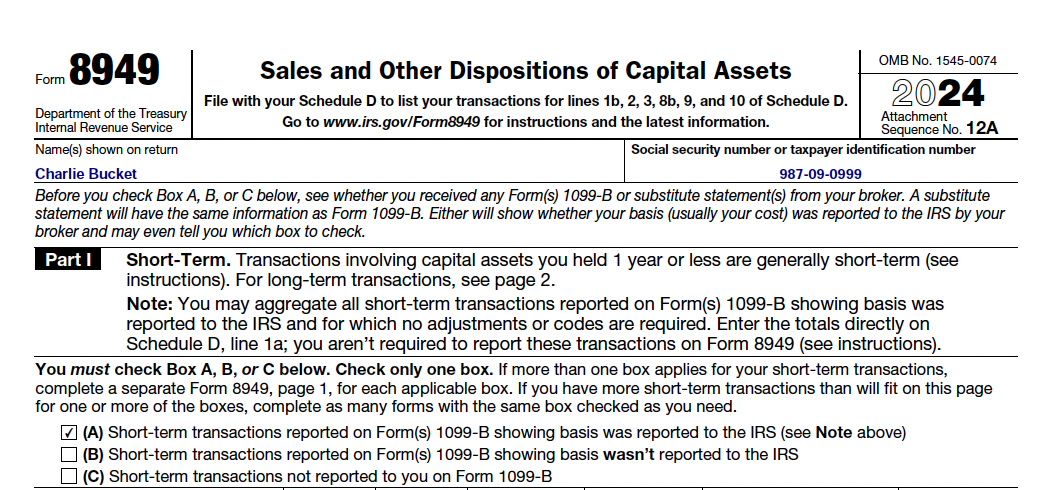
Form 8949 is required for reporting gains/losses from crypto. Each trade must be logged with: - What you sold (e.g., BTC, ETH) - When you bought it - When you sold it - Your proceeds and cost basis - Your gain or loss
The Easiest Way to Generate a Form 8949
With Form8949.org, you can: - Upload your Coinbase CSV - Let the system auto-calculate gains and holding periods - Fill in any missing data - Download a complete IRS-accepted Form 8949 in PDF or HTML format - View the form directly in your browser
No spreadsheets. No manual entry. 100% Free.
Multiple Output Formats
Our tool now offers flexible output options: - Download as PDF for official filing - Download as HTML for easy editing - View directly in your browser to review before saving
Choose the format that works best for your needs. All options are completely free.
What If I Have 100+ Trades?
If your CSV has too many rows to fit on the physical Form 8949: - You get a summary line on the form - Plus a detailed attachment with every trade - Just like TurboTax and accountants do
This format is fully accepted by the IRS.
Save Time. Avoid Mistakes. File with Confidence.
You could spend hours doing this manually—or get it done in minutes for free. Users say it's the fastest way to file Coinbase crypto trades and avoid costly mistakes.